
10XAI CRM Software for Small Businesses That Want More Leads, Faster Follow-Up, and Better Customer Management
All-in-One CRM Software for Local Businesses Powered by 10XAI
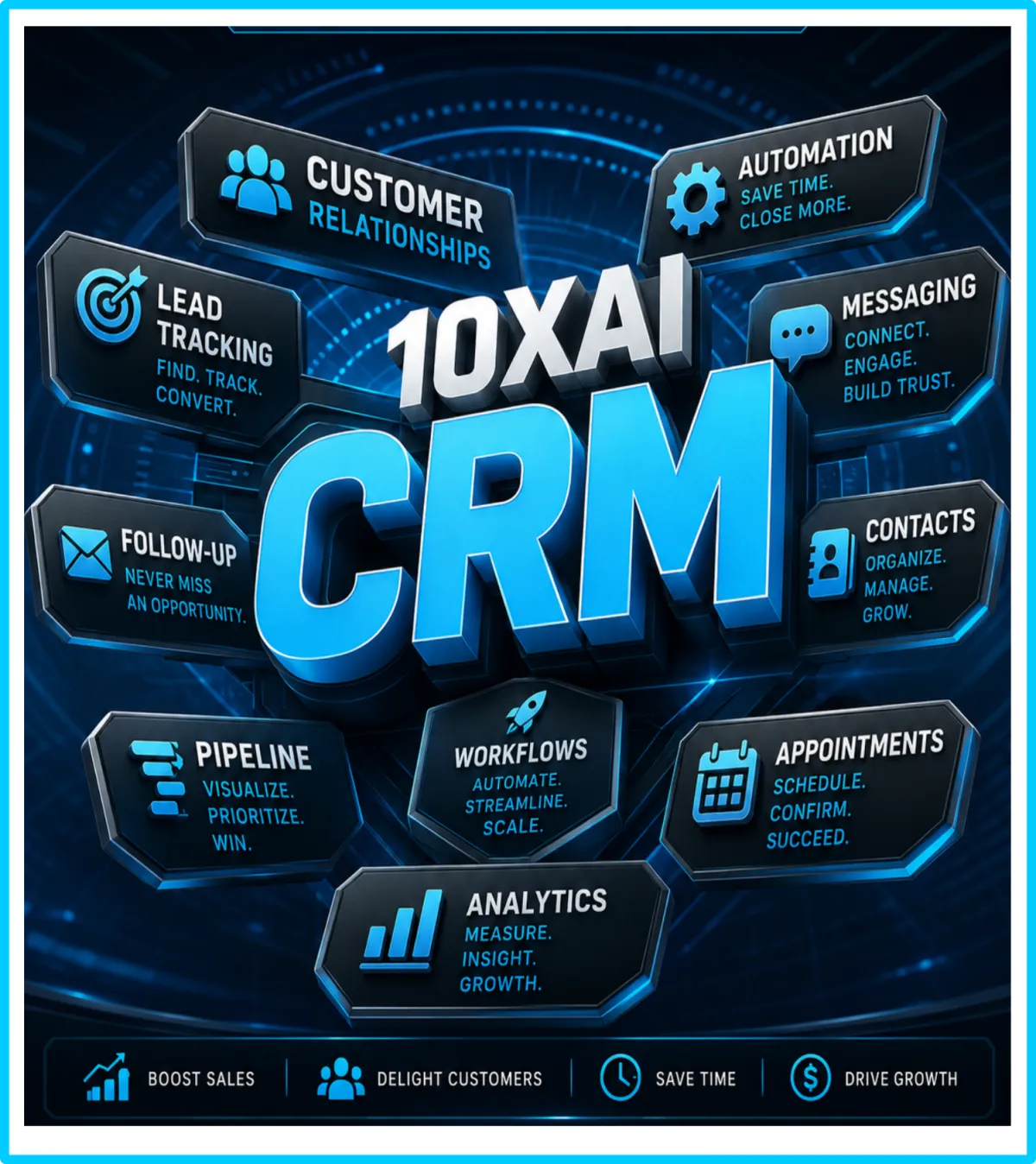
10XAI CRM Software helps small businesses manage leads, customers, appointments, follow-ups, text messages, emails, pipelines, reviews, and sales activity in one organized system. Built for local service businesses, contractors, home service companies, medical offices, real estate professionals, restaurants, and growing businesses, our CRM helps you save time, respond faster, improve customer relationships, and increase revenue with smart automation.
What It Means for Businesses
CRM software is now a must-have tool for small, medium, and large businesses. It helps organize leads, customer information, conversations, appointments, and follow-ups in one place.
When used properly, a CRM does more than store data. It helps increase sales, speed up follow-ups, improve customer relationships, and make your team more efficient.
With the right setup, a CRM can automate follow-ups, track customer activity, reduce missed opportunities, and help your business get more value from every marketing dollar.
10XAI CRM
The 10XAI CRM is more than just a contact database, it’s a complete
Customer Relationship Management System Powered by AI.
Built to help small and mid-sized businesses stay organized, close more deals, and
grow faster, it puts all of your leads, customers, and conversations in one easy-to-use platform.
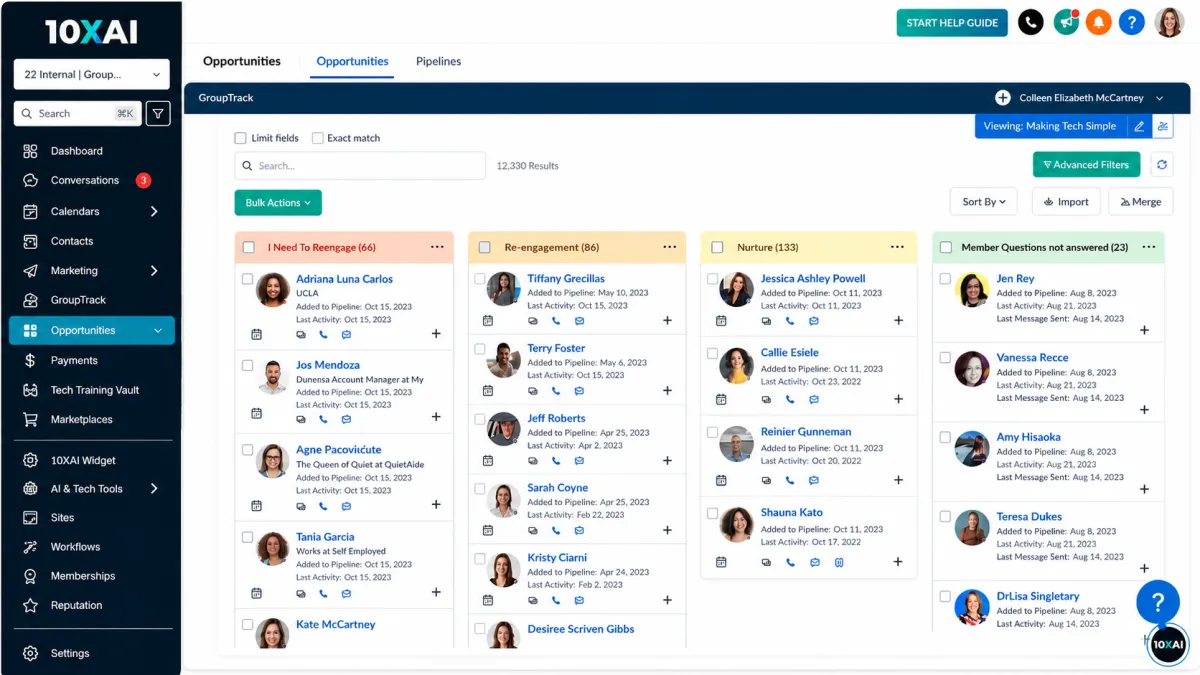
A 10XAI CRM gives businesses one powerful place to manage leads, conversations, follow-ups, appointments, reviews, payments, and customer relationships without letting opportunities slip through the cracks.
It helps organize daily operations, automate time-consuming tasks, improve response times, and turn more leads into paying customers. Instead of juggling multiple tools, business owners get a smarter, more efficient system designed to save time, increase visibility, strengthen customer communication, and help grow profits.
With A 10XAI CRM, Businesses Can:
-- Capture Leads Automatically Every web form, chatbot, text, & call flows straight into the CRM.
-- Track Customer Interactions See every conversation, note, and follow-up in one place.
-- Automate Workflows Instantly trigger emails, texts, reminders, & tasks based on customer actions.
-- Manage Pipelines Move prospects through each stage of the sales journey with drag-and-drop simplicity.
-- Boost Customer Retention Schedule reminders, send offers, & track customer history, build stronger relationships.
-- Integrate with AI Tools Connect seamlessly with chatbots, voice agents, & smart websites for full automation.
-- Measure Results Real-time dashboards and reporting show ROI, conversions, and growth.
Result: Businesses save time, eliminate confusion, and increase revenue by keeping everything organized and automated. With 10XAI CRM, no lead is ever forgotten, and every customer gets a seamless experience.
Below you will find a more detailed list that shows:
Just some of the things that A 10XAI CRM Can Do For Your Business
1) Capture Leads Automatically
A CRM can collect new leads from your website, landing pages, forms, ads, phone calls, chatbots, social media, and online campaigns.
2) Organize Every Contact in One Place
Store customer names, phone numbers, emails, addresses, notes, conversations, appointments, and purchase history in one easy-to-manage system.
3) Track Leads from Start to Finish
See exactly where every lead stands, from first contact to follow-up, appointment, estimate, sale, or lost opportunity.
4) Manage Your Sales Pipeline
Organize deals by stage so you know who is ready to buy, who needs a follow-up, & where your best opportunities are.
5) Automate Follow-Up Messages
Send automatic texts, emails, reminders, and check-ins so leads do not get forgotten.
6) Respond Faster to New Customers
Get instant alerts when someone fills out a form, calls, messages, books an appointment, or requests information.
7) Stop Leads from Falling Through the Cracks
A CRM keeps every lead visible and organized so missed calls, forgotten messages, and lost opportunities happen less often.
8) Send and Receive Text Messages
Communicate with customers by SMS directly from the CRM instead of jumping between phones, inboxes, and apps.
9) Send Email Campaigns
Send promotions, newsletters, service reminders, follow-ups, and customer updates to stay in front of your audience.
10) Use Missed Call Text-Back
When a customer calls and you miss it, the CRM can automatically send a text message so the lead does not move on to a competitor.
11) Book Appointments Online
Let customers schedule consultations, estimates, service calls, or meetings through an online calendar.
12) Send Appointment Confirmations and Reminders
Reduce no-shows with automatic appointment confirmations, reminders, and rescheduling options.
13) Collect Reviews Automatically
After a job, purchase, or appointment, the CRM can send review requests to help build more 5-star reviews. More reviews help build trust, improve local visibility, and make your business look more credible to new customers.
14) Create Forms, Surveys, and Lead Intake Questions
Collect important customer details upfront so you know what they need before you call them back. Use forms, questions, tags, and automation to identify serious buyers and prioritize the best opportunities.
15) Track Where Leads Come From
Know whether customers found you through Google, Facebook, ads, your website, referrals, email, or another source.
16) Access Everything from Your Phone
A mobile CRM lets you manage leads, customers, appointments, messages, and follow-ups from the field, on the road, or away from the office.
The biggest benefit of a CRM is helping your business capture more leads, respond faster, follow up better, close more sales, keep more customers, and grow with less chaos.

Three Discounted Packages each with a different mix of services at different price points. This way, you can choose the package that best fits your goals and budget while still getting the power of the 10XAI CRM working for your business.
FREQUENTLY ASKED QUESTIONS
1. What is a smart all-in-one CRM software?
A smart all-in-one CRM is a centralized platform that manages leads, customers, communication, automation, and analytics in one system. Unlike traditional CRMs, it combines sales tracking, marketing tools, AI agents, workflows, email, SMS, and scheduling to automate the entire customer journey.
2. How is an all-in-one CRM different from a traditional CRM?
Traditional CRMs mainly store contacts and track deals. An all-in-one CRM actively automates follow-ups, marketing, scheduling, and communication. It reduces the need for multiple tools by combining CRM, automation, messaging, and AI into a single connected system.
3. What features are included in a smart all-in-one CRM?
Smart all-in-one CRMs typically include contact and pipeline management, email and SMS marketing, automation workflows, calendars, forms, chatbots, AI agents, reporting, and integrations. These features work together to capture leads, nurture prospects, and convert customers automatically.
4. How does a smart CRM help increase sales and revenue?
A smart CRM increases revenue by ensuring every lead is captured, tracked, and followed up automatically. Faster responses, consistent communication, and automated workflows prevent leads from falling through the cracks and help sales teams focus on closing instead of manual tasks.
5. Can a smart all-in-one CRM replace multiple software tools?
Yes. A smart all-in-one CRM is designed to replace separate tools for email marketing, SMS, scheduling, lead capture, automation, and basic analytics. This reduces software costs, simplifies workflows, and creates a single source of truth for customer data.
6. Does smart CRM software work with AI agents and chatbots?
Yes. Smart CRM software integrates seamlessly with AI agents and chatbots. Conversations, leads, bookings, and actions captured by AI tools are automatically logged in the CRM, triggering workflows, notifications, and follow-ups without manual data entry.
7. What types of businesses benefit most from an all-in-one CRM?
Service-based businesses, local companies, agencies, consultants, and B2B sales teams benefit the most. Any business that relies on inbound leads, follow-ups, appointments, or ongoing customer relationships can improve efficiency and conversions with a smart CRM.
8. How long does it take to set up a smart all-in-one CRM?
Most smart CRM systems can be set up within a few days. Basic configurations launch quickly, while advanced setups with automation, AI agents, and integrations may take one to two weeks. Once live, businesses typically see immediate improvements in organization and response time.
9. Is a smart all-in-one CRM scalable as my business grows?
Yes. Smart all-in-one CRMs are built to scale with your business. As lead volume, team size, and automation needs increase, workflows, pipelines, and AI tools can be expanded without changing platforms or rebuilding systems from scratch.

Innovation
Fresh, creative solutions.

Integrity
Honesty and transparency.

Excellence
Top-notch services.
Copyright 2026. 10X AI SOLUTIONS. All Rights Reserved.